What is a Task & How Does Microgreen Manager Create Tasks?
Tasks are the backbone of Microgreen Manager. It’s important to know what they are and where they come from.

Written by Garrett Corwin
Last updated1. Tasks are individual actions. A majority of your tasks are automatically generated by Microgreen Manager based on your inputs and orders. The most common tasks include planting, germinating, moving trays under lights, and harvesting. A user can also manually generate tasks
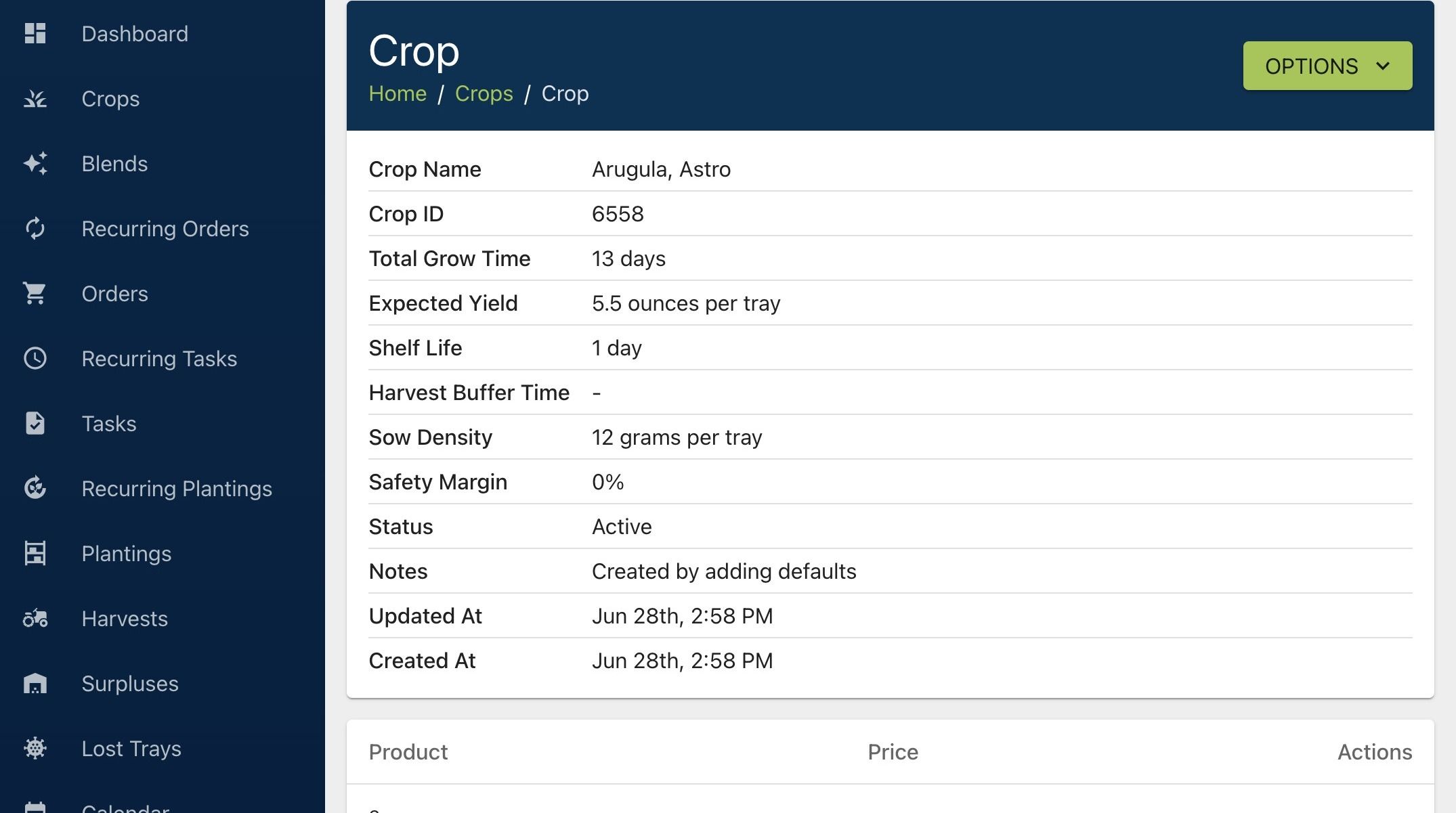
2. The software will create the tasks needed to grow the right crops, at the right time, and in the right quantities. These tasks come from expected crop yields and the life stages of each crop - plant, germinate, harvest, and more.
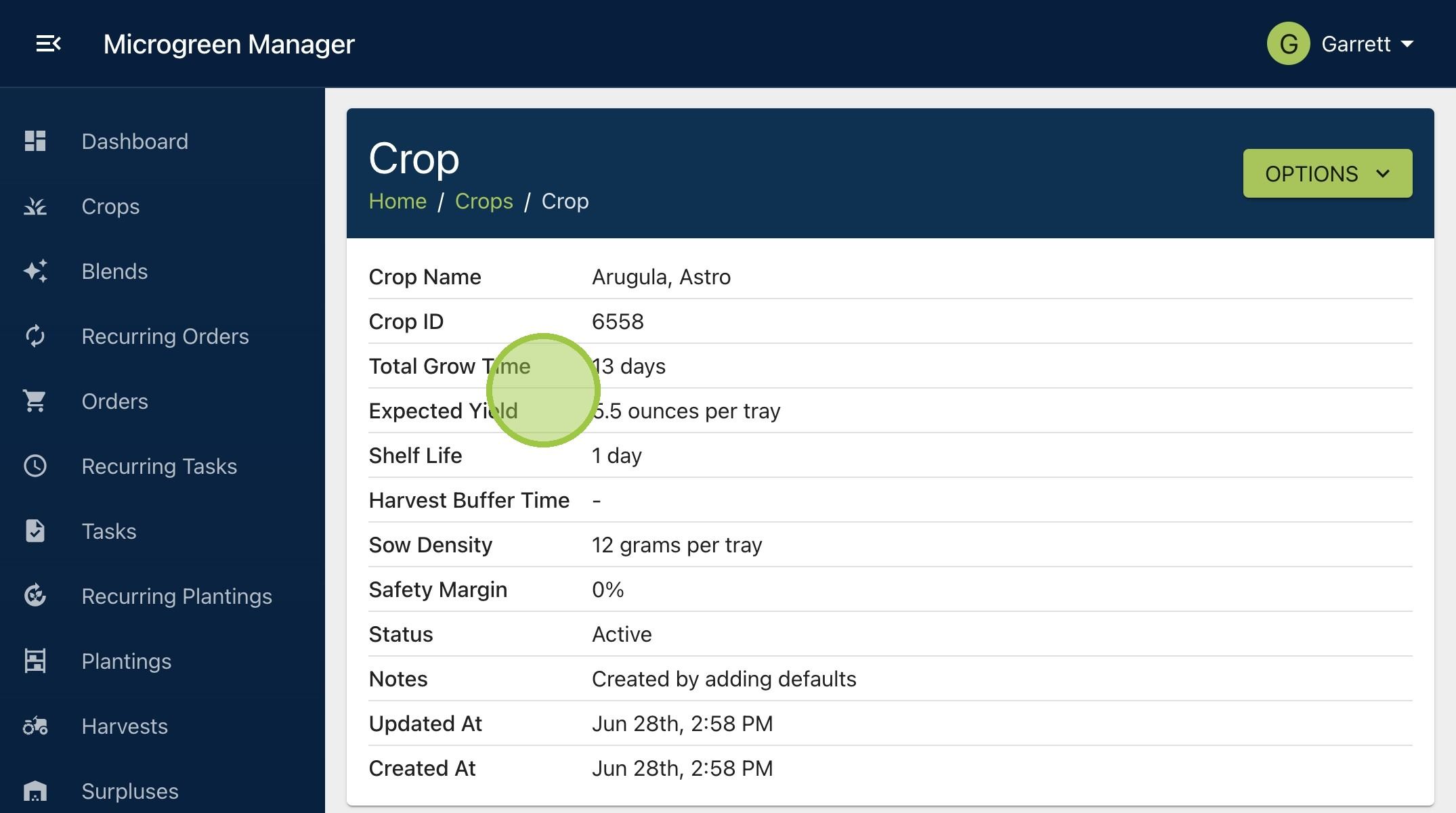
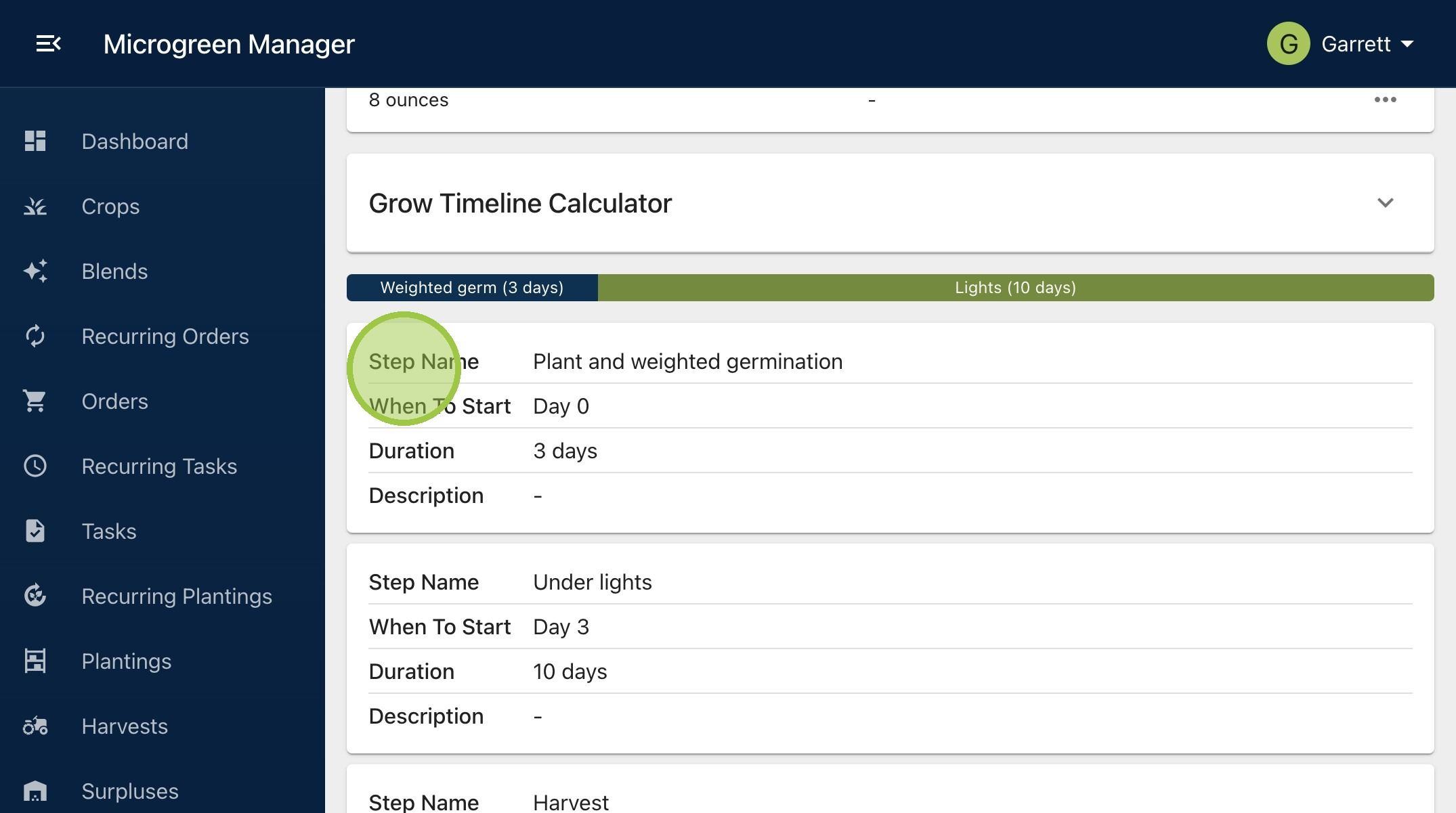
3. In this example, we have arugula with an expected yield per tray of 5.5 ounces. Arugula has grow steps for planting and weighted germination at Day 0 with a three day duration. The crop goes under lights at Day 3 and stays there for ten days. Finally, it's harvested on Day 13
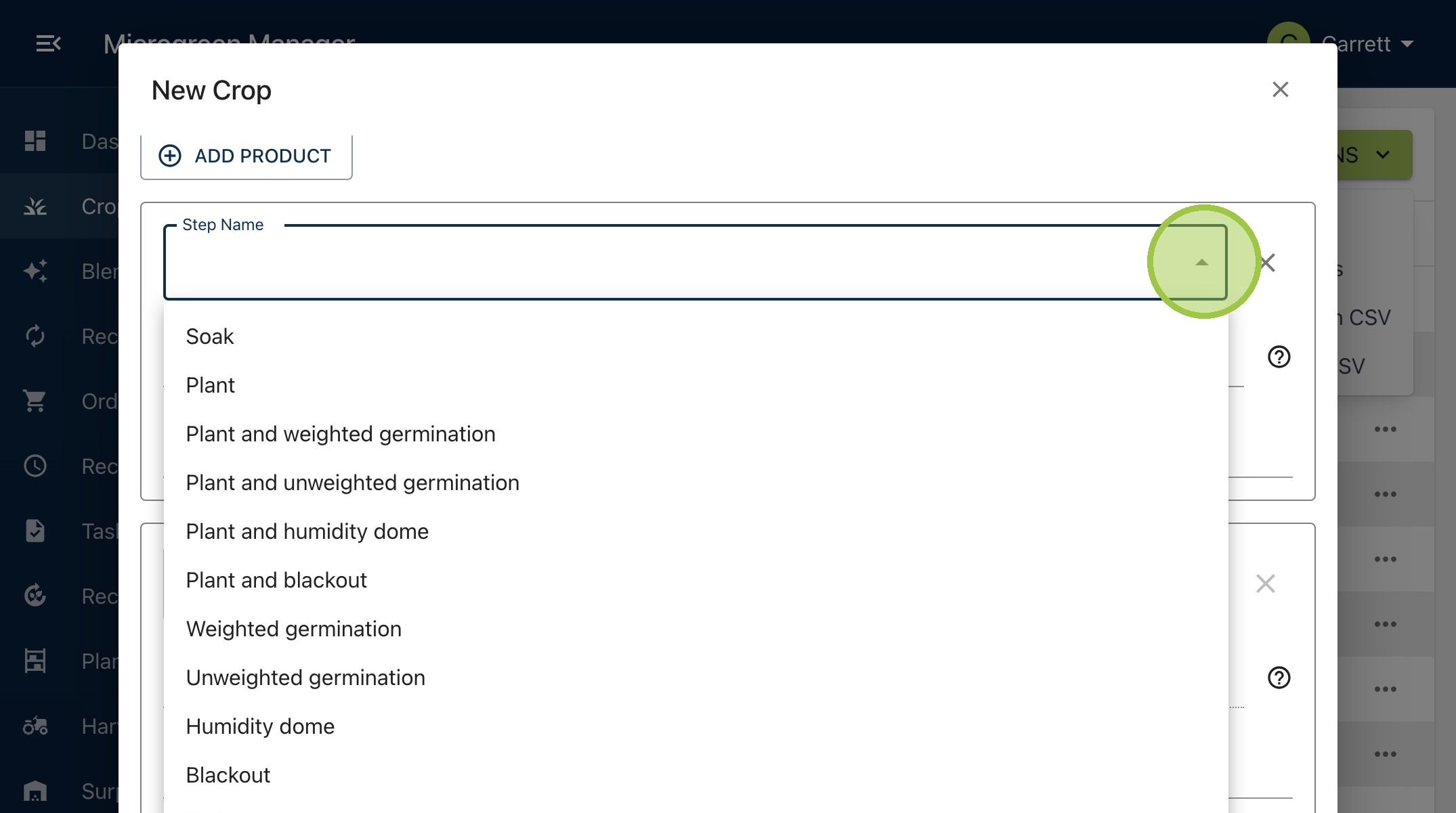
4. We can see a longer list of potential grow steps in this dropdown
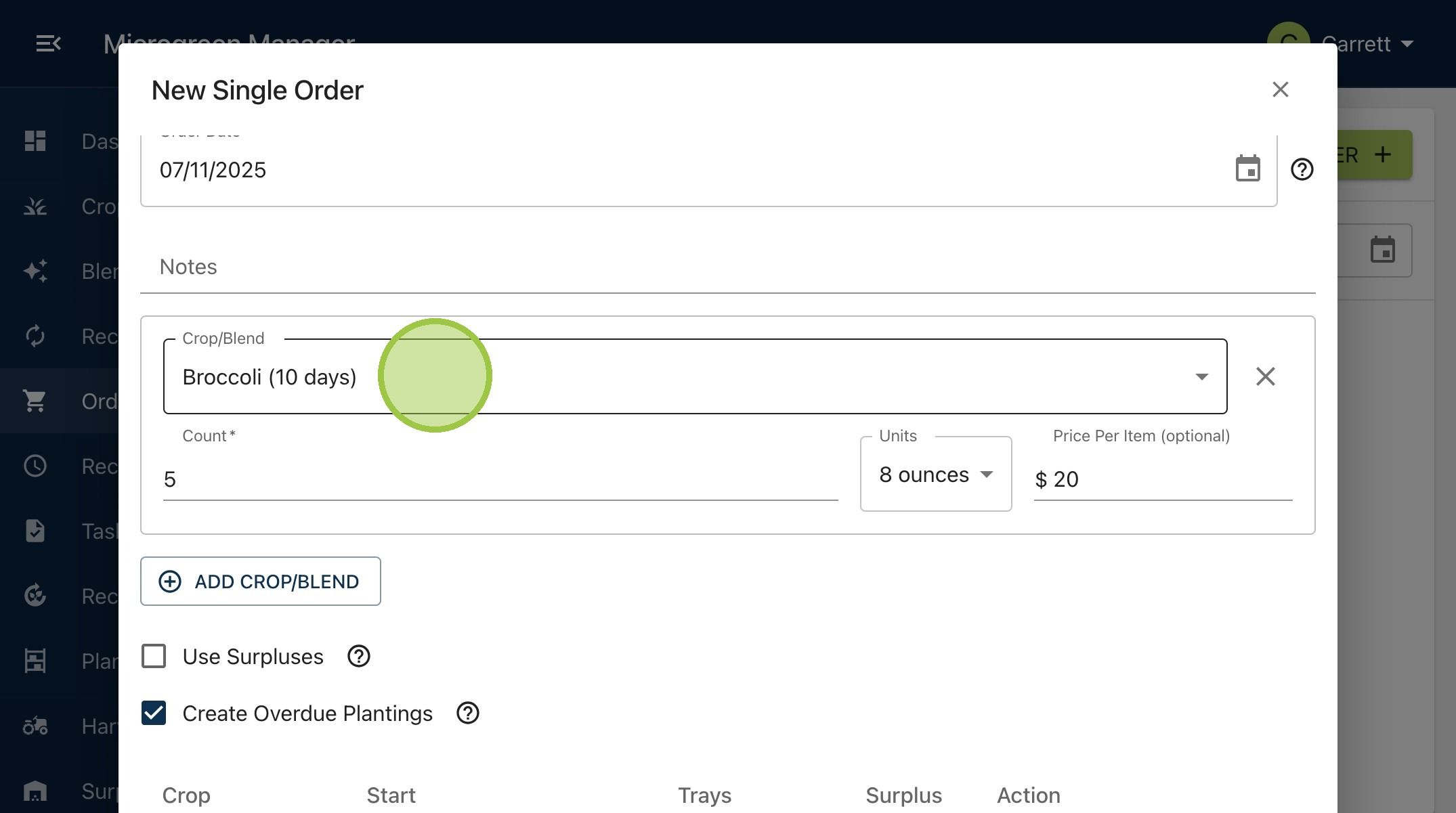
5. If we create an order for broccoli, we can see how tasks are generated in real time

6. This will be a one-time order for five 8 oz. containers of broccoli
7. Click "Submit"

8. Inspect the new order

9. At the bottom of the order, you’ll find the production tasks that Microgreen Manager made for you. First, we see the software is having us plant 6.15 trays of broccoli because it knows the average yield per tray is 6.5 oz. We'll need 6.15 trays to grow the 40 oz. in the order. Next, we see the three tasks it created. First is "Plant and weighted germination," then "Under lights," and then "Harvest."

10. Other guides will show you how to create tasks for both production and non-production activities