3 Software Tools for Offloading Work at Your Microgreen Farm
Written by Garrett Corwin
Summarize with AI
Introduction
Software is not new, and software is not always necessary. As individuals and business owners, we can become victims of too much software, or software for the sake of software. Something similar is happening right now with artificial intelligence (AI). Everyone is trying to figure out how to leverage AI in their personal and business lives, even if it doesn’t actually make sense. I’m a big fan of software and AI, which is why I use both on a daily basis in both my personal life and my business. I want to share the few ways and the few tools I’ve found to actually make my life, and my employees’ lives, easier.
The 3 Tools
Notion
Notion is your new brain. Think of Notion like a customizable database capable of organizing projects, SOPs, to-do lists, and team collaboration. I’ve used Notion for years in my personal life to catalog and organize my annual goals, home renovation projects, gift ideas for friends, new business ideas, and much more. About two years ago, we built a company Notion for my farm, Piedmont Microgreens. This is the homepage, which provides just a glimpse into all the information it contains.
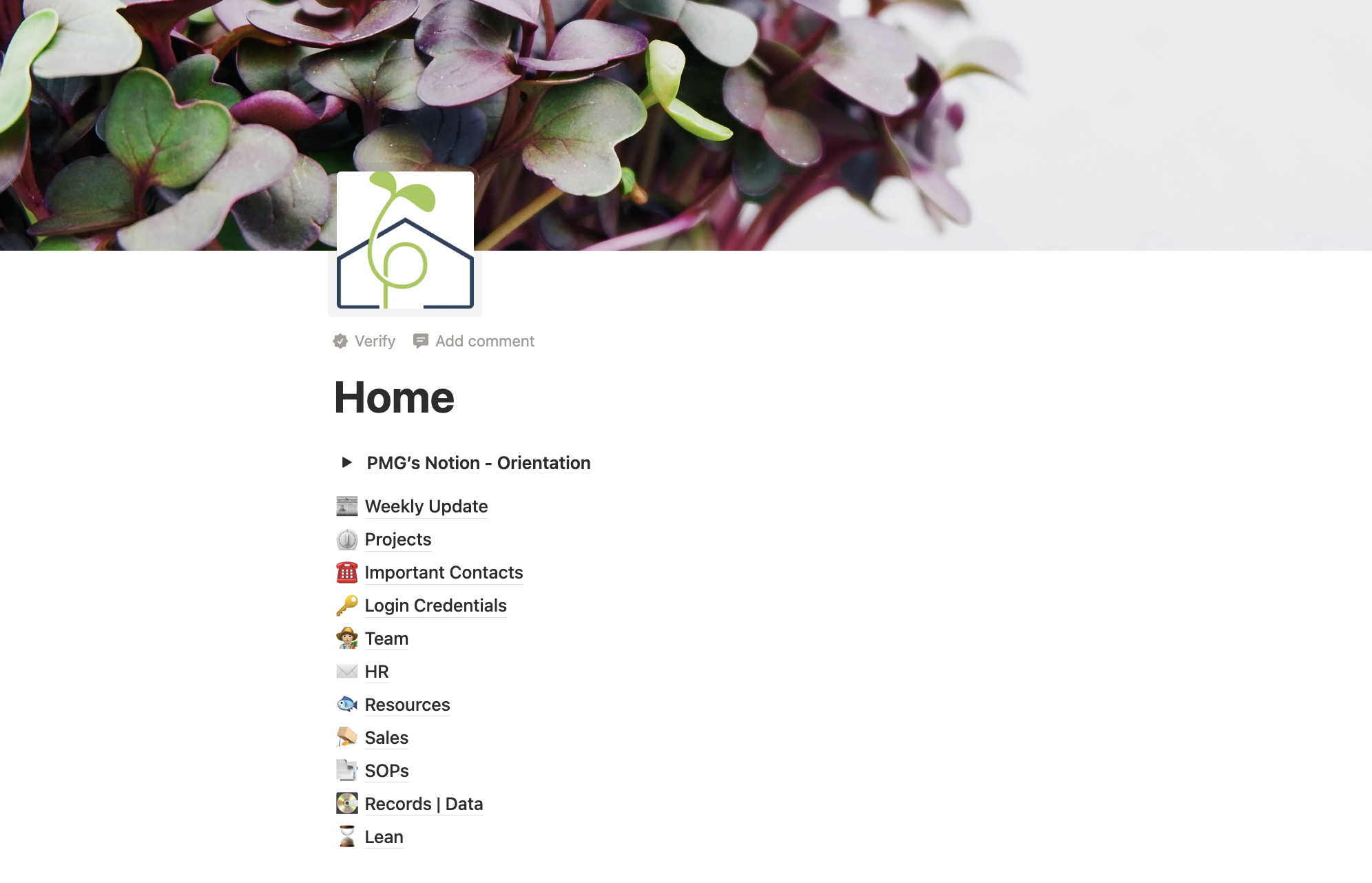
My employees can search for anything from seed lot data to vendor contact info to their teammates’ work schedules. Anything that doesn’t end up in our Microgreen Manager account ends up here. Notion is our company’s brain. Notion is such an affordable, easy, and powerful tool for small businesses that I made a template for anyone to download. You can read about it more in this blog, Farm OS, or go directly to the Notion marketplace for a free download. Expect it to take a few hours to a few days to fully integrate with Notion, depending on the size and complexity of your operation. Once you’ve integrated, though, your employees will thank you. You can cut out 80% of the common recurring questions they ask you as the owner or manager.
Loom
You’ll notice one of the pages in my company’s Notion titled “Weekly Updates.” I have multiple employees at Piedmont Microgreens, and their workweeks start on different days. This offset it intentional, but it makes it impossible to have a single weekly team meeting. I don’t like repeating myself, so I don’t. Instead of having a meeting with each person to go over the week’s agenda, projects, and follow ups, they watch a prerecorded Loom video. Loom is a screen capture tool and it allows for “asynchronous” communication. I record the video once per week and each employee watches it first thing during their first shift of their workweek.
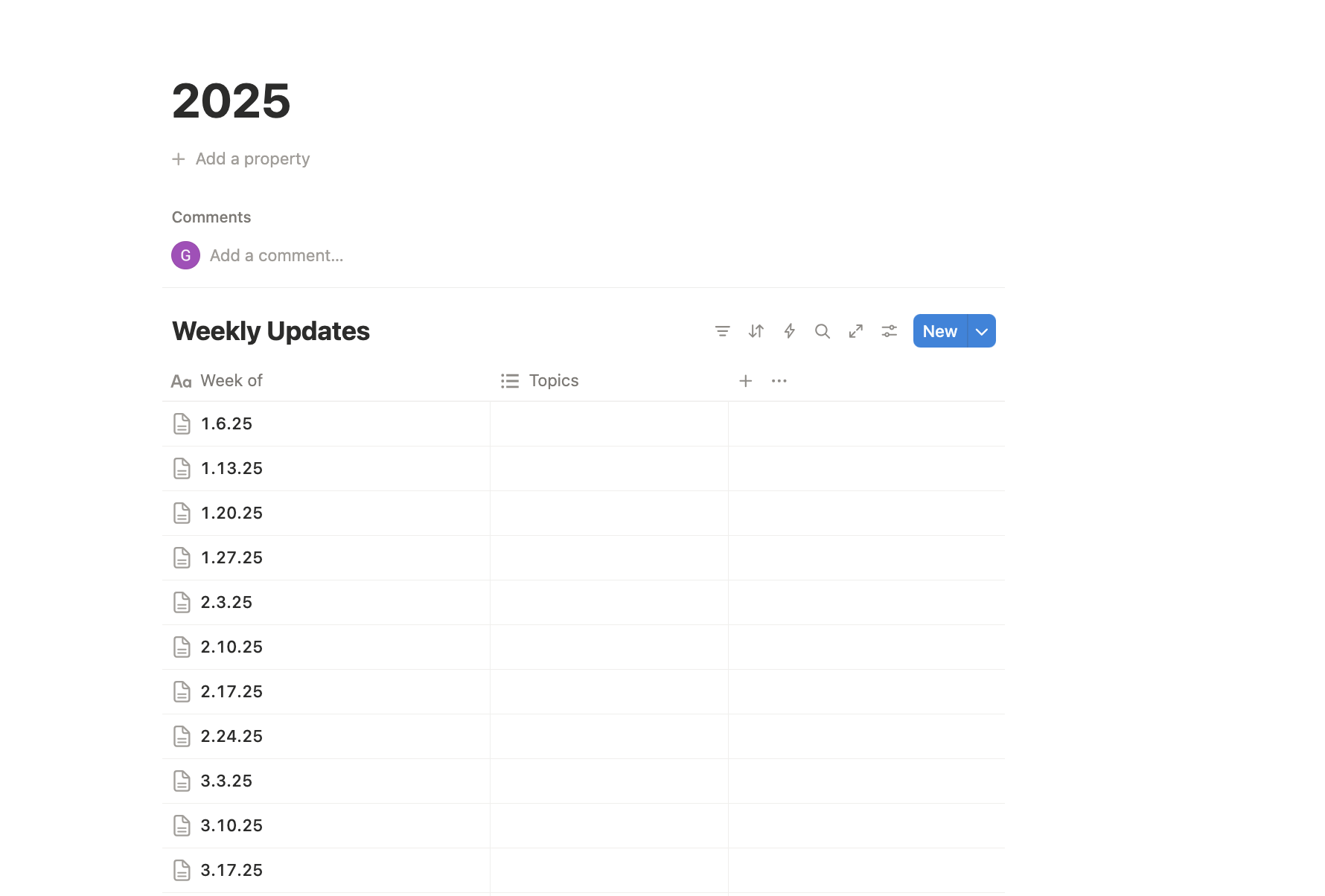
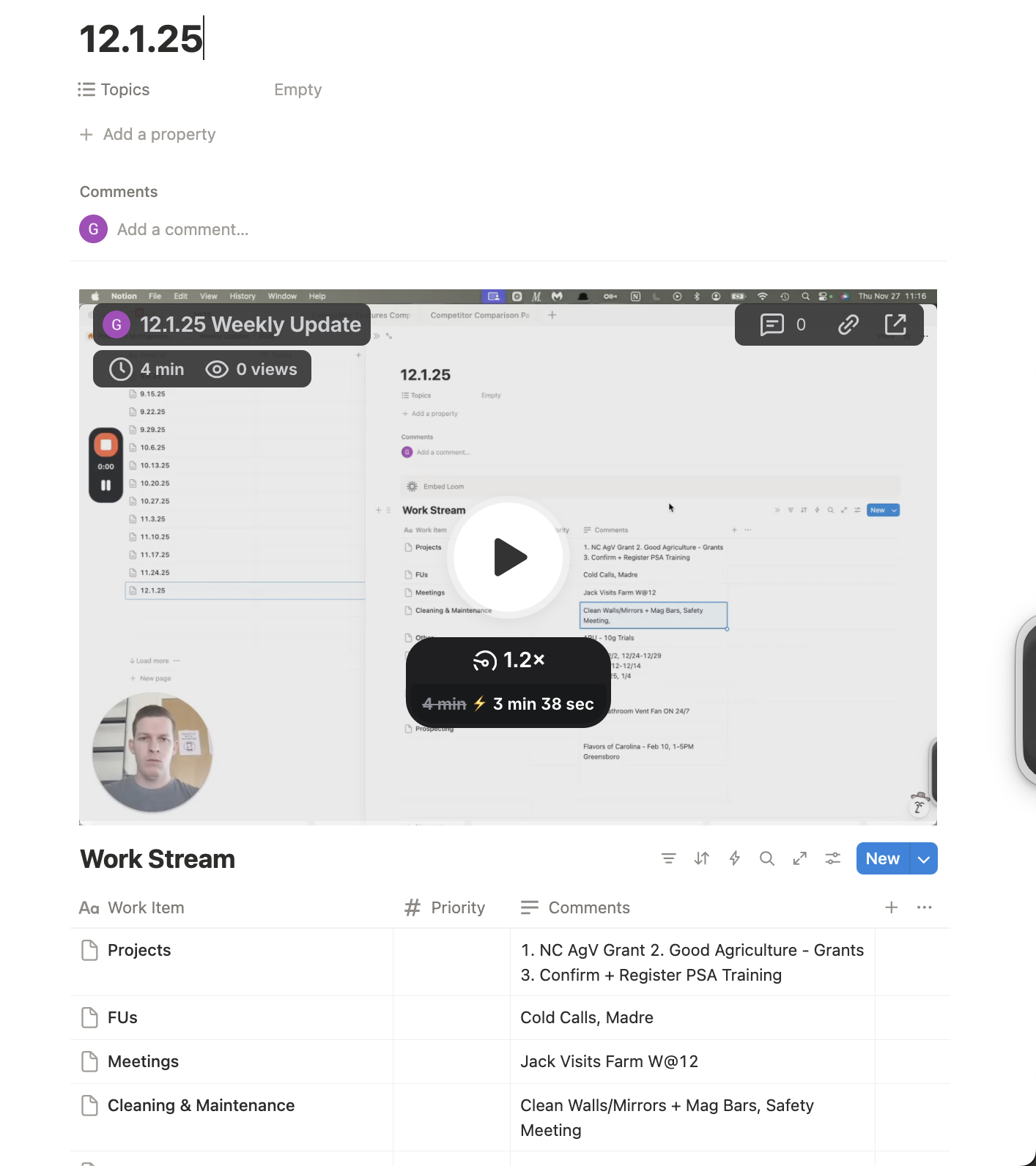
Every weekly update follows the same template. At the top is a Loom screen recording of me talking through each item in the weekly “Work Stream.” I embed the Loom link directly in Notion, meaning my employees don’t have to open any other tabs. Inside the Work Stream template, we have places for projects, client follow ups, impending time off requests, cleaning and maintenance items, meetings, and much more. I pull this information from different places, such as my personal calendar, Microgreen Manager, and the prior week’s update.
Don’t worry, this template is built inside Farm OS.
Microgreen Manager
In the list of items I can easily offload to my team, Notion and Loom together handle 90% of the non-production related things. Microgreen Manager handles everything else related to our production schedule. Without going into detail, Microgreen Manager creates the exact set of daily tasks my team follows to produce the right amount of each crop or blend at the correct time. You tell the software all about your crops, blends, and orders. With this information, Microgreen Manager can calculate how many trays to grow of every crop and when to perform each step in their grow cycles. You can also enter all your cleaning and maintenance items into the “Recurring Tasks” section. Below is a look at part of my farm’s dashboard in Microgreen Manager. We can see it’s telling us to soak six trays of peas and 12 trays of sunflower tomorrow. We also need to collect the mail, hold our quarterly safety meeting, follow up with a few customers, and much more.
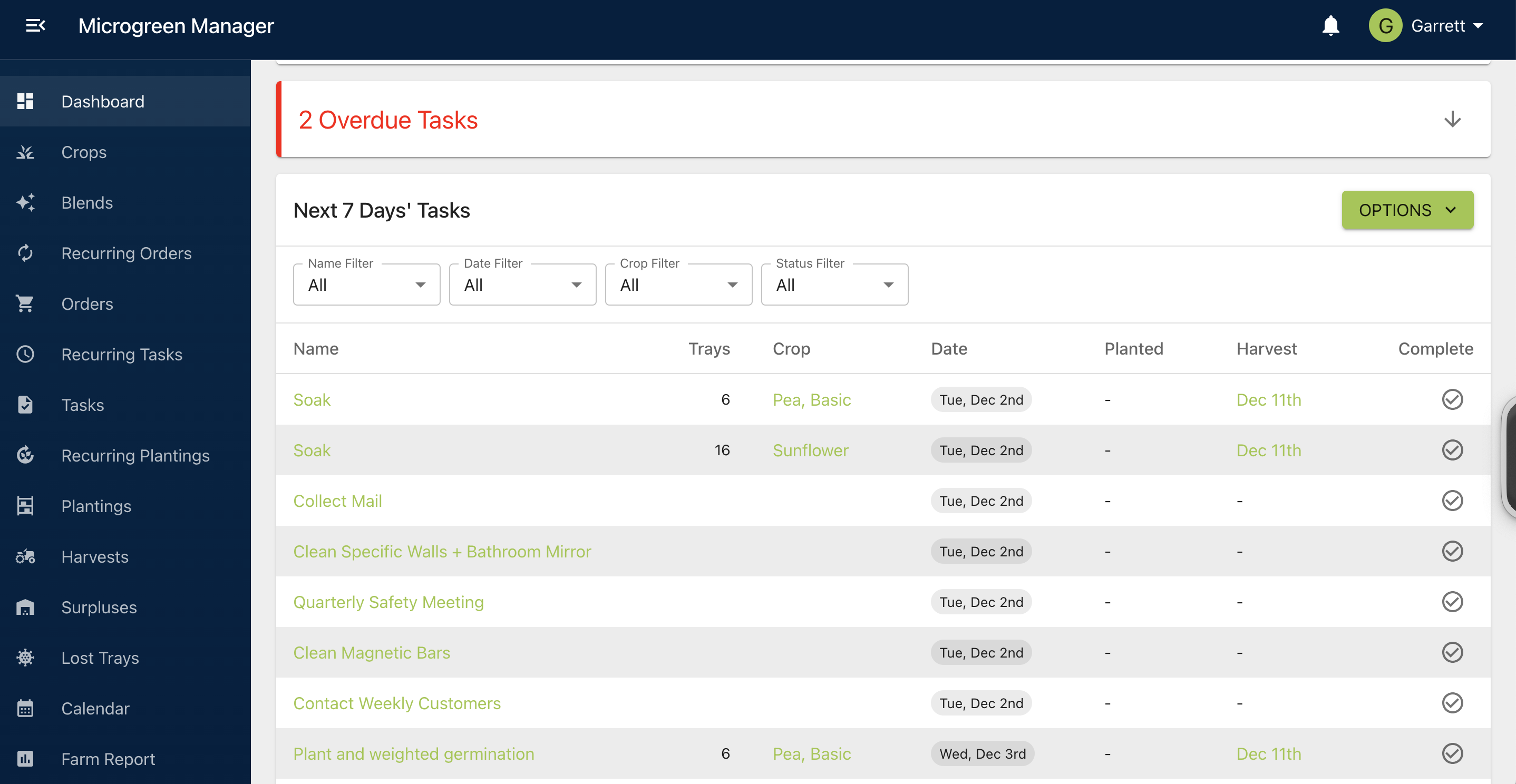
Each employee has their own login credentials and permissions. I never have to tell them what to do or when to do it. When someone marks a task as complete, Microgreen Manager documents who completed it and when. I can review that information if a task is performed incorrectly and retrain them if needed.
There’s a ton more functionality built into the software, but I’ve made my point. Microgreen Manager let’s me offload nearly every aspect of production to my team.
2 Bonus Tools
Chat GPT
OpenAI’s ChatGPT is revolutionary for so many reasons. I could write several blogs about its use cases and effective prompt engineering. Suffice to say, AI is only going to get better, and you need to be proficient in its use. You don’t need to become an AI expert, but you do need to integrate it into your daily life. Using “general purpose AI models” or “frontier large language models (LLMs)” like ChatGPT, Claude, and Gemini will soon be the new standard. Much like Word, Excel, and email have been the bare minimum, LLM use will soon be part of that list. For most users, these models are the same. Pick one and use it daily.
Lindy AI
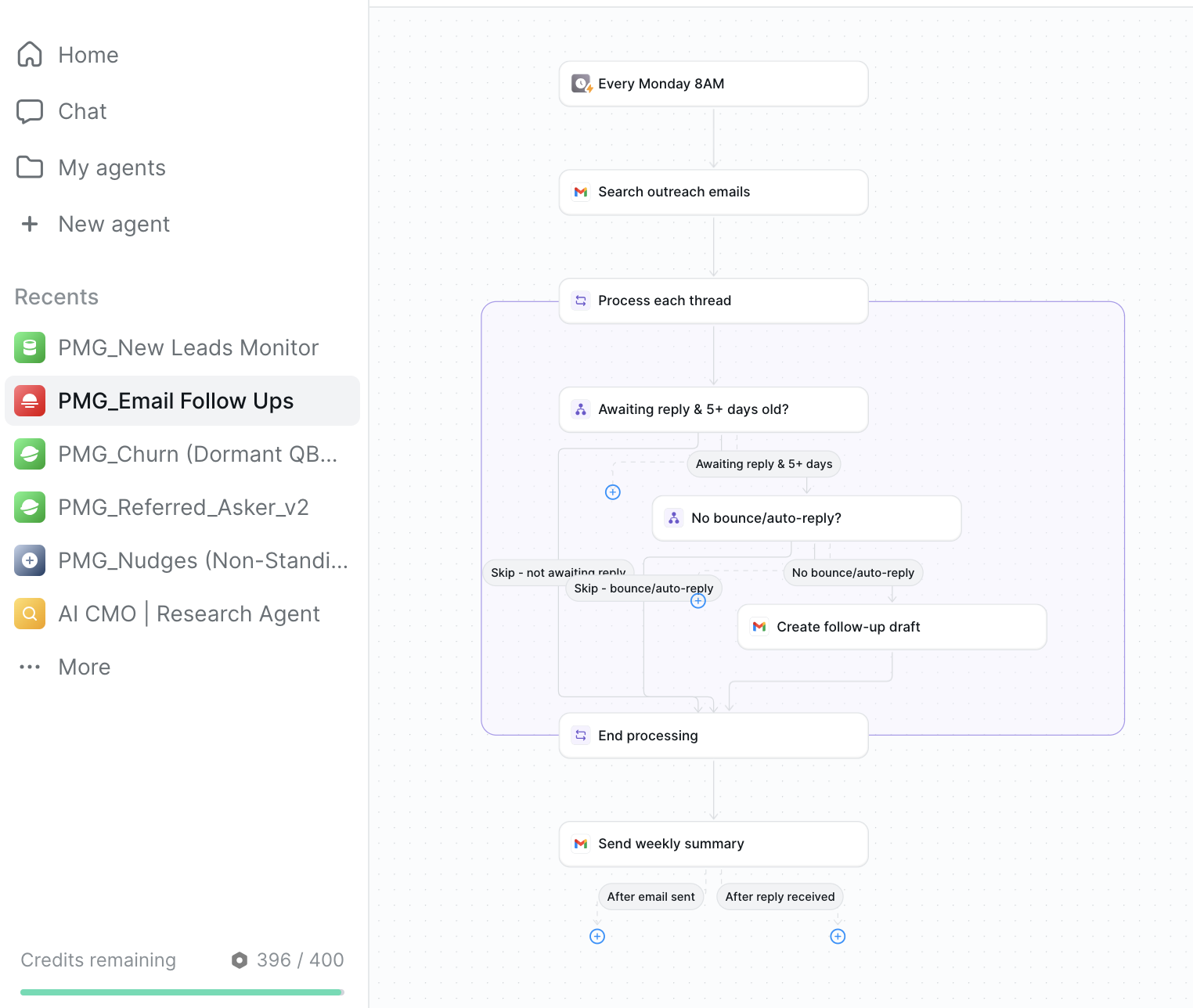
If you’re comfortable with AI and you want to experiment with AI agents, I’d suggest starting with Lindy AI. It can be hard to find legitimate use cases for AI and AI agents in a farm, but I found a few. You can tell Lindy AI in plain language what kind of agent you want to build, and it’ll make it. I built several agents for Piedmont Microgreens. One agent scans our company emails each week and drafts follow-up emails to potential clients who haven't responded. Another agent analyzes our invoices to create a list of current clients with a strong purchase history. That list feeds into another agent that drafts emails to request referrals and testimonials. Finally, we have an agent that scans local news publications for announcements about new restaurant openings. We then have a ready list of cold leads to contact. Each agent runs automatically based on different triggers. Some agents run weekly or monthly at a certain time. Other agents run when they detect a certain trigger, such as a new email entering our inbox from a specific sender. Agents can execute tasks independently, such as sending emails. All our agents are programmed to prepare work, like email drafts, but never actually send anything. This gives us a chance to review the AI’s work.
Related Articles
Introducing the Microgreen Farm Operating System (OS)
Comparing Microgreen Manager & Excel for Microgreen Crop Planning
Share this post: